
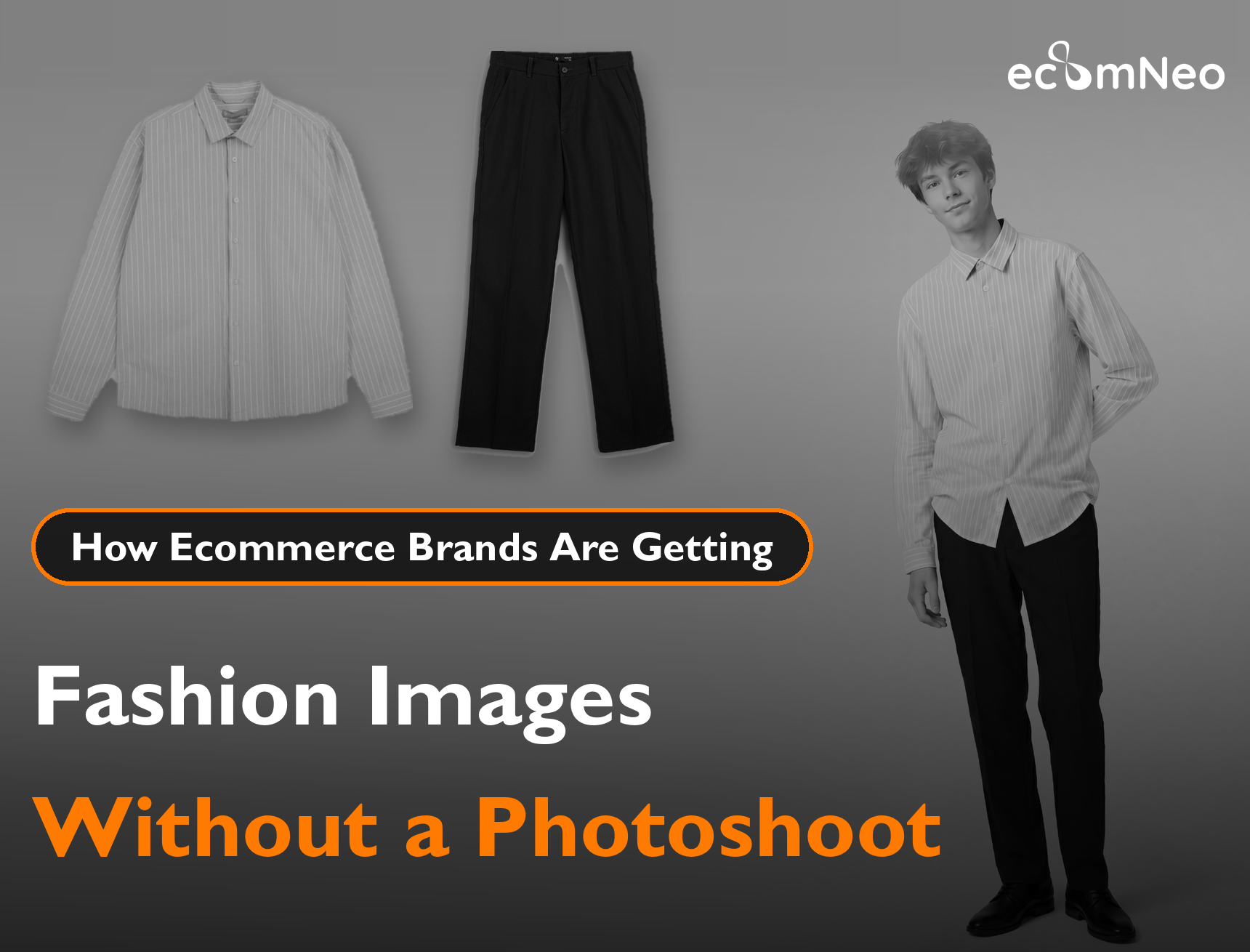
A traditional fashion shoot is a complicated process, as it involves finding a model agency, briefing the photographer on your brand, booking the studio, stylist, and editor. All of it adds to the cost, making a traditional shoot not only expensive, but also a long, drawn-out process. With the speed of ecommerce today, brands don’t have the luxury of shooting every product or colorway.
That’s why fast-growing DTC brands are skipping this process. They photograph garments flat, on a hanger, or on a ghost mannequin, then generate fashion images from those shots in minutes and at a drastically lower cost.
Ecommerce brands get on-model photos without a photoshoot by uploading flatlays, hanger shots, or ghost mannequin images to an AI-native on-model imagery platform, choosing a model, pose, and background, and generating production-grade, catalog-ready images in minutes instead of weeks.
The math behind the switch: traditional shoots vs. AI-generated on-model imagery
The photoshoot is not the only cost brands need to bear. Beyond the venue, photographer, and models, you also pay for couriering the samples, reshooting, and retouching. All of this adds to each SKU’s cost. And imagine if a sample arrives a week late, the whole shoot and the launch slip with it.
To understand the real cost of traditional ecommerce photography, here’s a quick comparison of the factors that decide launch speed.
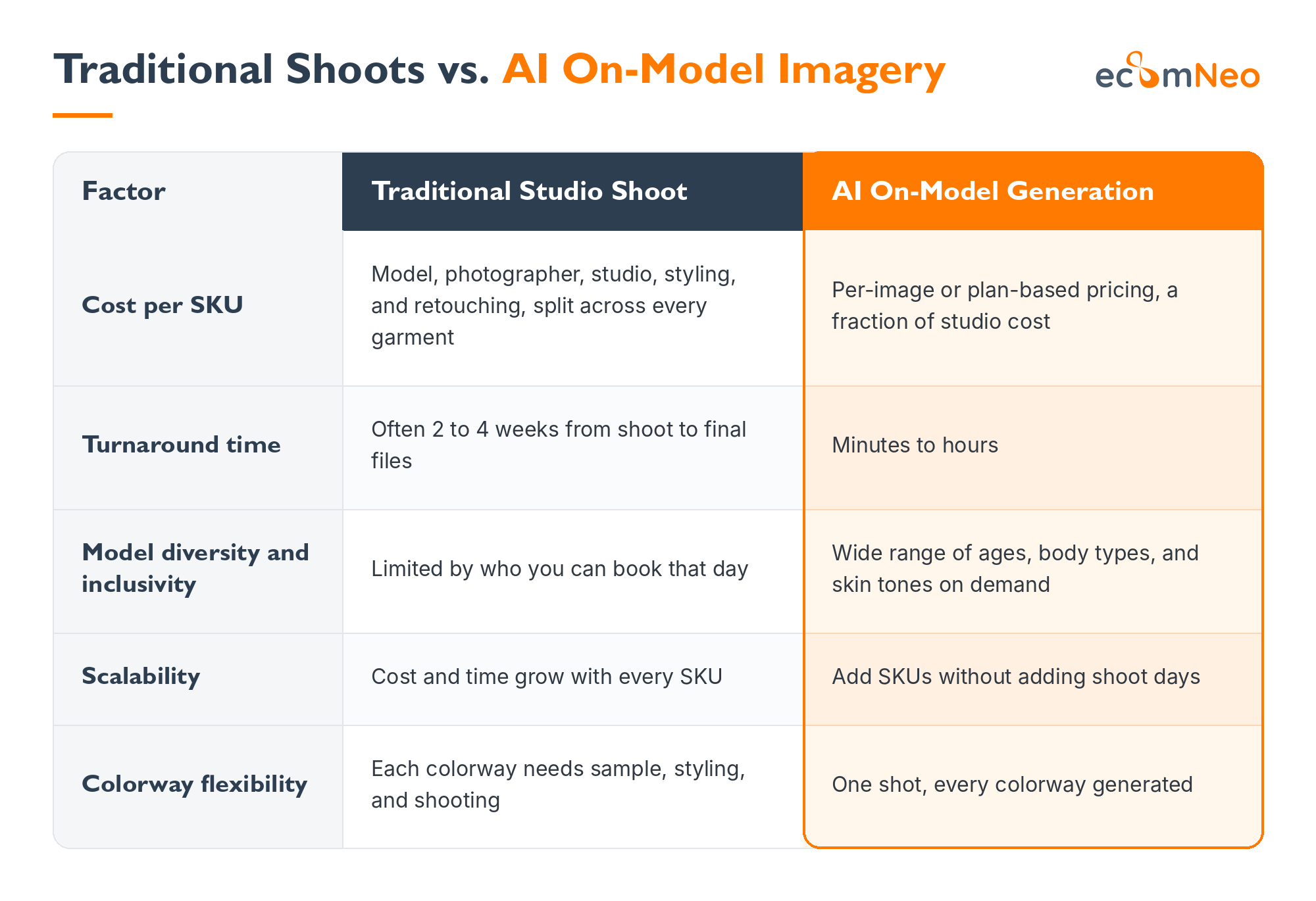
The real gain isn’t only lower cost. It’s that you stop treating imagery as a scheduling problem.
How does AI-powered on-model imagery work?
AI-powered on-model imagery simplifies and shortens the process of fashion imagery creation, while still giving you the control you need over your brand assets. Here’s how it typically works:
1. Uploading Raw Product Images
All you need are the garment photos. They can be flatlays, hanger shots, or ghost mannequin images of your product. Since flatlays are the most basic images, and almost all brands have a catalog of flatlay photos or laid-out clothing shots, there’s no extra shoot required. Brands upload the flatlays from different angles and move to the next step in a single click.
2. Choosing Models, Poses, and Backgrounds
AI-powered on-model imagery does not take away your freedom to direct the shoot. You can choose models by ethnicity, body type, and pose, and pick a background that suits your brand. This way, you not only get to display apparel and jewelry on a human model, but also choose the right models for your target audience and market, without booking a single shoot.
3. Generating Production-grade Fashion Images
As the raw images are uploaded and models and backgrounds are selected, AI generates on-model imagery that shows the exact fabric drape, texture, and lighting. The entire process to get the final finished assets takes a few minutes to 48 hours, depending on what kind of platform or tool you are using.
AI image generators are more instant, but don’t guarantee product accuracy. They often reinterpret your garment, change the print, stitching, or other minute details that your shoppers can spot easily. Enterprise platforms, on the other hand, ensure you receive sophisticated and accurate imagery that remains true to the product.
A few enterprise platforms add another layer here to ensure image quality: human verification. While the previous steps require brands to upload raw images and select different options, the human-backed quality check is done from the provider’s end without impacting the delivery time.
Platforms like NeoModel by eComNeo offer human-expert verification as an in-built step, and every image generated goes through this quality check before delivery. There are other platforms like Botika that offer image QA under different plans.
4 ways fashion brands use AI on-model imagery
Once brands stop treating imagery as a scheduling problem, they can use it as a testing and growth tool. Here are four ways fashion DTC brands put on-model imagery to work.
- Test which models shoppers connect with. Brands can show the same shirt on a model in their 20s to some visitors and a model in their 40s to others, keeping the pose and background identical. The version with better add-to-cart rates tells them which look to use across the catalog. A studio would need two bookings for this test. Here, both versions come from the same flatlay.
- Launch every colorway from one set of photos. Brands shoot one colorway and generate the rest on the same model. Listings look consistent, and there are no extra samples to ship or styling sessions to book.
- Enter new markets without a regional shoot. Brands adapt imagery for US, European, or Asian shoppers by changing the model and background. There is no travel or local agency to coordinate.
- Get new drops live faster. Brands go from design sample to published listing in days instead of weeks, which matters when a trend has a short window.
Why AI-powered on-model imagery works better than AI image generators
AI image generators create images of AI-generated models wearing your clothes. The model is always AI, and the result depends on how closely the tool reproduces your garment. AI-powered on-model imagery works differently. It starts from your actual product photos and lets you choose either an AI model or a human model for the final image.
That difference matters for three reasons:
- Product accuracy. Tools that generate the whole image can drift from the original, changing the print, stitching, or fabric drape in small ways shoppers notice. On-model platforms keep the product as photographed.
- Choice of model. Brands decide whether a listing shows an AI model or a human model, instead of being limited to AI-generated faces. That control matters most on product pages, where shoppers want to see how the garment looks on a real person.
- Quality checks. Enterprise platforms with human verification compare each image against the original product before delivery, which keeps errors out of the catalog and helps avoid returns.
Brands should also check the current image and AI-disclosure policy of each channel they sell on, including Amazon, before they publish, and add disclosure where it is required.
Where NeoModel fits
NeoModel is built for brands that want on-model images without the shoot, and without losing the detail of the product. You upload the flatlays, hanger shots, or ghost mannequin images you already have, choose an AI or human model, a pose, and a background, and get images that stay true to the garment’s print, stitching, and fabric drape. Each image is checked by a human before it reaches you.
To see the difference, you can access the free trial here and compare the results with your current studio shots.
FAQs
Will AI-powered on-model imagery look fake or unnatural?
No. Platforms like NeoModel handle fabric drape, lighting, and fine details well and check each image against the original product.
Can flatlays and ghost mannequin images be turned into on-model photos?
Yes. Flatlays, hanger shots, and ghost mannequin images can all be converted, with no additional shoot. Clean, evenly lit source photos give the best results.
Can brands choose between AI and human models?
Yes. Brands can choose an AI or human model, along with ethnicity, body type, pose, and background.
How is AI-powered on-model imagery different from an AI fashion model generator?
An AI fashion model generator shows your clothes only on AI-generated models, and it may change small details of the garment. AI-powered on-model imagery lets you choose an AI or human model, and keeps the garment exactly as it appears in your photo.
Do AI-generated model photos comply with marketplace policies?
It depends on the marketplace. Check each channel’s current image and AI-disclosure rules, including Amazon’s, before publishing.
Leave a Reply